
Band Mate Easy Guitar
Band Mate
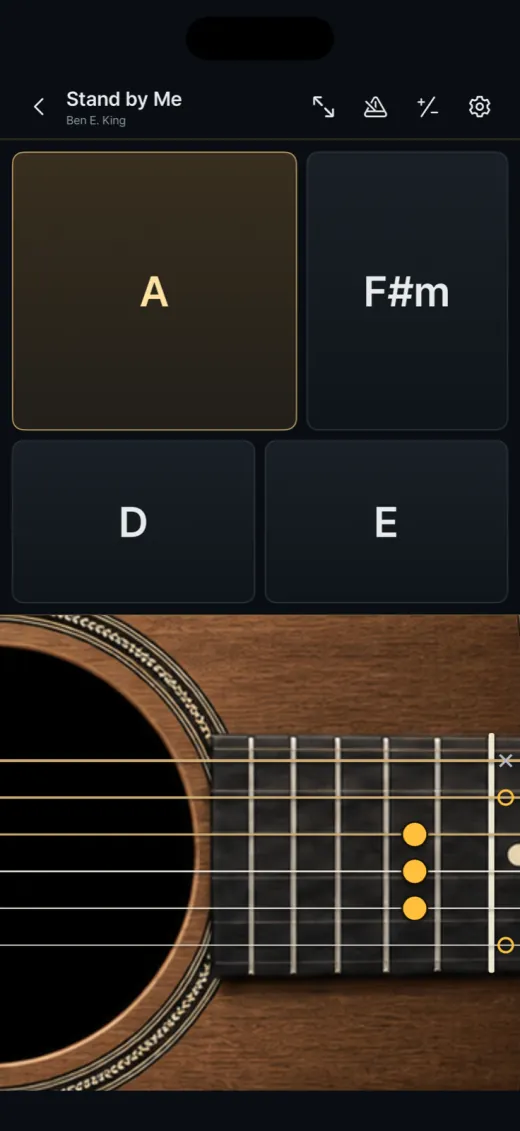
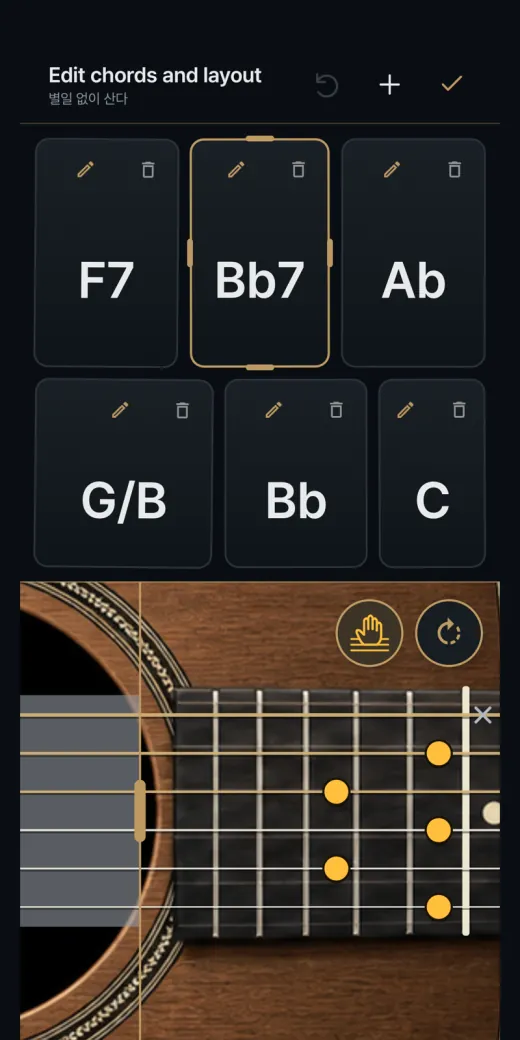
Pick a chord pad and strum the strings below by swiping up and down. Build your own chords or import them from a chart.
- Platforms
- iOS · Android
- Built with
- Swift / SwiftUI · native Android
- Pricing
- Free · no ads · offline
- Languages
- English · 한국어 · 日本語
For a beginner, the hard part of accompanying a song is not knowing the chords but making the right hand and the left hand cooperate at once. Easy Guitar splits the job. You pick a chord with a pad and strum with a swipe across the strings, so you can keep a song moving while you learn. Chords you need can be built by hand or read from a chart you already have.

What it does
- Pads and stringsChord pads on top, guitar strings below: down-strum, up-strum or pluck a single string.
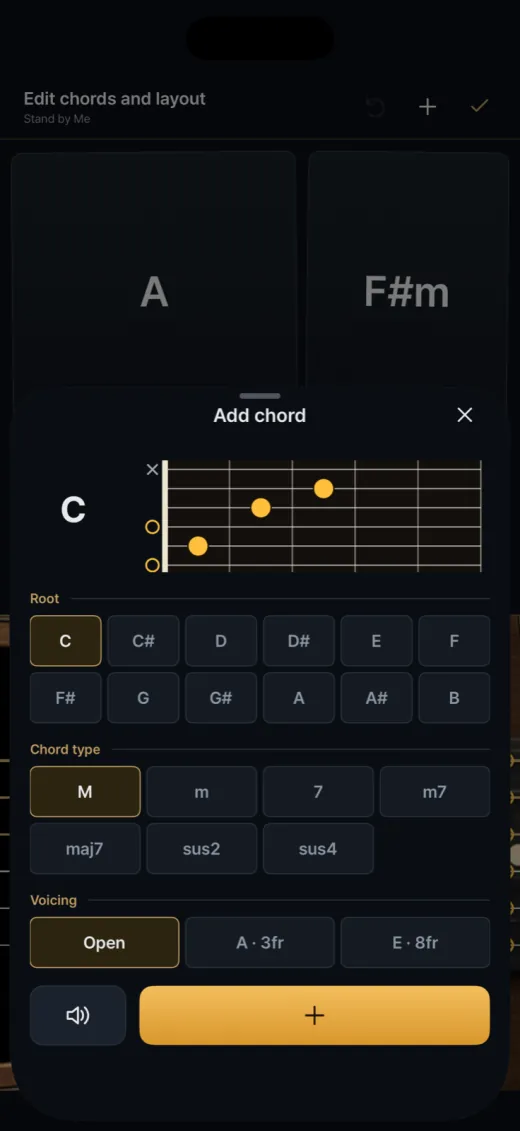
- Chord builder12 roots, 7 chord types and voicings, with sound preview and a fretboard diagram.
- Chord importRead chord symbols from PDF, photo, MusicXML, Guitar Pro or text, all on the device.
- Your layoutMovable, resizable pads and an adjustable mute zone, saved per song.
- Guitars and FXSteel, nylon and electric guitars with FX presets and chord progression timelines.
- TransposeShift chords and sound together by semitone, with a built-in metronome.
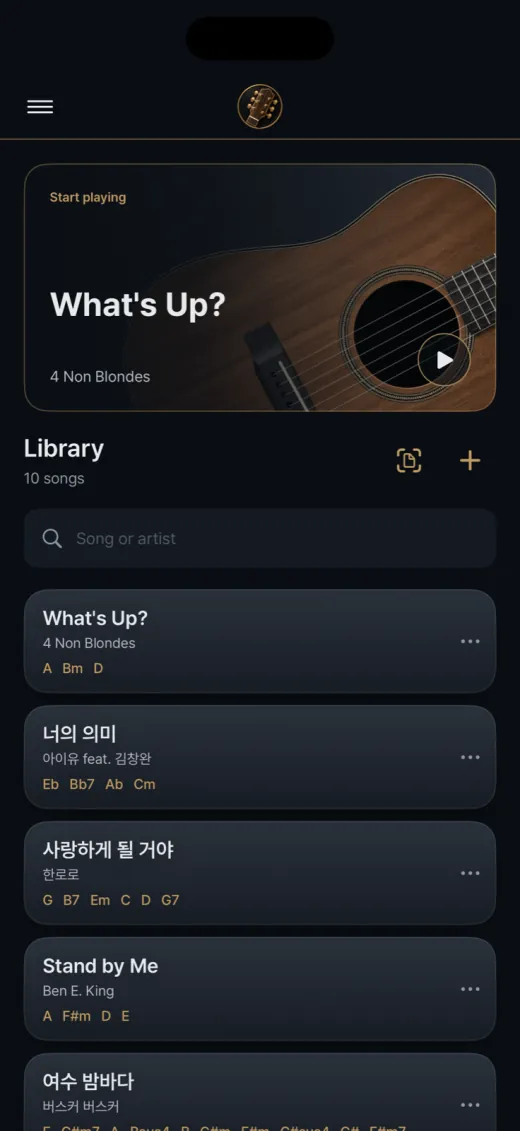
- Starter libraryA library with starter chord sets, searchable, free and fully offline.
- Full-screen play viewA focused full-screen view for performing.
Design choices
Pads above, strings below
The screen is split into chord pads on top and a guitar body below. Swiping down or up strums, and touching one string plucks it. Pads can be moved and resized, and an adjustable mute zone lets you play palm-muted strums. The layout is saved per song.
Build any chord you need
The chord picker combines 12 roots with 7 chord types (M, m, 7, m7, maj7, sus2, sus4) and a voicing. You hear the chord before adding it, and a fretboard diagram shows the fingering, so a chord that is not in a preset list is never a dead end.
Read chord symbols, nothing more
Import reads PDFs, photos, MusicXML, Guitar Pro and text on the device, and looks for chord symbols only, not rhythm or notes. Its self-test rejects look-alike words such as Chorus, Bridge and A horse, and merges equivalents like B flat M7 and A sharp maj7.
Simple FX, advanced editor held back
Version 1.1 ships guitar types with ten FX presets and three macro controls for intensity, brightness and space. The detailed pedal editor and custom sound management are hidden by a single release policy, while the full effect chain still runs and existing user data is preserved.
How it's built
A C mixer with no clicks
Audio is rendered by a portable C mixer of about 800 lines with 24 voices and no allocation or locks on the render thread. When a string is struck again, the old sound is faded out over a few milliseconds instead of cut mid-waveform, which is what prevents audible ticks.
Sampled guitars, short buffers
The sample catalog lists 15 steel, 48 nylon and 18 electric samples, loaded on a background queue. The iOS audio session asks for a 5 ms I/O buffer. The mixer can also hand a ringing string to a new pitch without re-striking it, which the engine provides for hammer-on and pull-off.
One engine on two platforms
The Android app is a separate Kotlin and Compose project, but it links the same C mixer through AAudio at 48 kHz and shares the samples and translations. Its chord, layout and import logic was ported one-to-one from Swift and is covered by JVM unit tests.
Measured, not just listened to
A mixer test renders retriggers, decays and cut-offs offline and measures the largest sample-to-sample step to look for ticks. The last recorded iOS 1.1 build passed 623 library and store checks and 69 FX checks, and 426 Korean-source strings have English and Japanese translations.